
Clean Lines. Clear View.
Conference Room TV Mounting Built For Professional Meetings
A properly installed conference room display keeps meetings focused and presentations clear. We mount office TVs at the correct height, align them perfectly wih your meeting table, and manage cables so the setup looks clean, professional, and ready for daily use.
Call or Text: (832) 413-1265
Serving The Greater Houston & Surrounding Areas
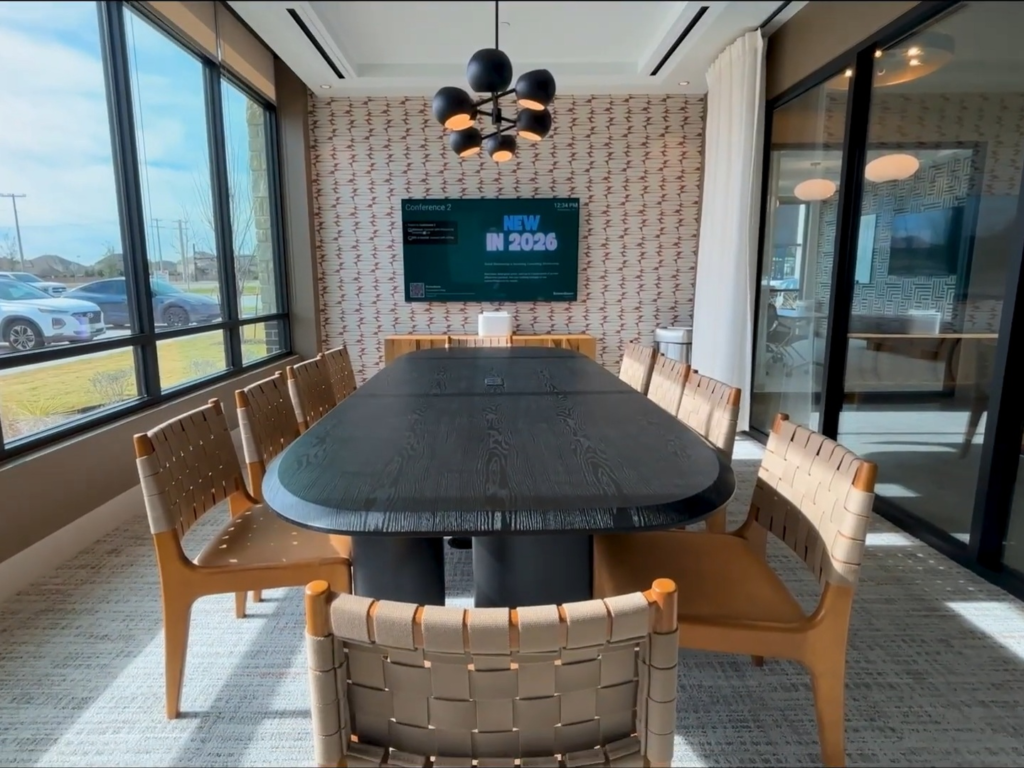
Display Installation Designed For Business Environments
Conference rooms are built around collaboration, not entertainment. Other spaces prioritize comfort first, such as patient-focused display environments. When a display is mounted too high, slightly off center, or poorly aligned with the conference table, it immediately disrupts presentations and video calls. Office TV mounting requires precision because every meeting depends on clear sightlines.
Our TV mounting company approaches every conference room TV setup with business use in mind. Screen placement is calculated based on seated eye level at the table, not empty wall space. When positioned correctly, employees and staff can view shared content comfortably, presenters can connect devices without struggle, and meetings move forward without unnecessary technical interruptions.
Screen Height Based On Conference Table Sightlines
Conference room display mounting should align with how employees actually sit and work during meetings. Instead of centering the screen on open wall space, our installation team calculates height based on conference table elevation, seated eye level, and chair positioning. This prevents upward viewing angles that cause fatigue during longer strategy sessions or client presentations.
In many offices, screens are installed slightly too high because wall symmetry is prioritized over usability. Our office TV mounting specialists position displays so content remains clearly visible over laptops without forcing staff to lean back in their chairs. The goal is natural eye-level alignment that supports focused conversation and smoother collaboration.
Room depth and table length are also factored into placement decisions. A screen that works for a four-person meeting may not scale properly for a twelve-seat boardroom or large audience event spaces. Our conference room tv installation approach accounts for viewing distance and sightlines across the entire table so everyone can see without shifting posture or adjusting seats.
Mount Selection And Multi-Screen Alignment For Conference Rooms
Conference rooms require mounting solutions that prioritize structural stability and visual alignment over flexibility. In most office environments, fixed or low-profile mounts are preferred because they keep the display tight to the wall and centered with the conference table. We select mounts based on display size, table placement, and meeting usage frequency. In professional settings, even slight tilt or movement becomes noticeable during presentations or video calls.
Alignment is equally important when mounting one or multiple screens. Our conference room display mounting technicians measure from fixed architectural reference points such as ceiling lines, wall panels, and table centerlines to maintain consistent positioning. Screens that are slightly off-center relative to the conference table can disrupt presentation flow and appear unbalanced during meetings.
Commercial wall structures also affect mounting decisions. Metal studs, reinforced drywall, and concrete walls are common in buildings and require precise anchor placement to support heavier commercial displays. Our business TV installation specialists verify load capacity before mounting so screens remain stable through daily use without shifting or loosening over time.
In larger boardrooms or collaboration spaces, display placement must also consider camera alignment and room symmetry. The screen is positioned so remote participants appear naturally framed, rather than angled or misaligned with the table. When installation is complete, the display feels integrated into the room’s structure and ready for immediate professional use.
Frequently Asked Questions
Is conference room TV mounting different from residential TV installation?
Yes. Conference room TV installation is based on seated employee eye level, table placement, camera framing, and presentation clarity. Residential mounting focuses on entertainment viewing, while office display installation prioritizes meetings, collaboration, and professional appearance.
What is the correct height for a conference room display?
Yes. Conference room TV installation is based on seated employee eye level, table placement, camera framing, and presentation clarity. Residential mounting focuses on entertainment viewing, while office display installation prioritizes meetings, collaboration, and professional appearance.
Can you mount displays on metal studs or concrete office walls?
Yes. Conference room TV installation is based on seated employee eye level, table placement, camera framing, and presentation clarity. Residential mounting focuses on entertainment viewing, while office display installation prioritizes meetings, collaboration, and professional appearance.
Will cables be visible during client meetings?
Yes. Conference room TV installation is based on seated employee eye level, table placement, camera framing, and presentation clarity. Residential mounting focuses on entertainment viewing, while office display installation prioritizes meetings, collaboration, and professional appearance.
Can installations be completed without disrupting office operations?
Yes. Office display installation can be scheduled around business hours to reduce interruption. Work areas are kept organized so teams can return to meetings and daily tasks immediately after installation.
Structured Cable Routing & Accessible Inputs
Visible wiring during client meetings immediately distracts from the presentation. Our commercial TV mounting technicians route power and signal lines so cables remain hidden, secured, and aligned with the display. A conference room TV setup is finished only when the screen looks clean from every seat, with no dangling cords or blocked outlets disrupting the space.
Input access is positioned for daily use, not guesswork. HDMI and USB ports are placed where staff can connect laptops quickly without reaching behind the screen. Power access is coordinated with mounting height so extension cords are not required, keeping the meeting room structured, professional, and ready for immediate use.
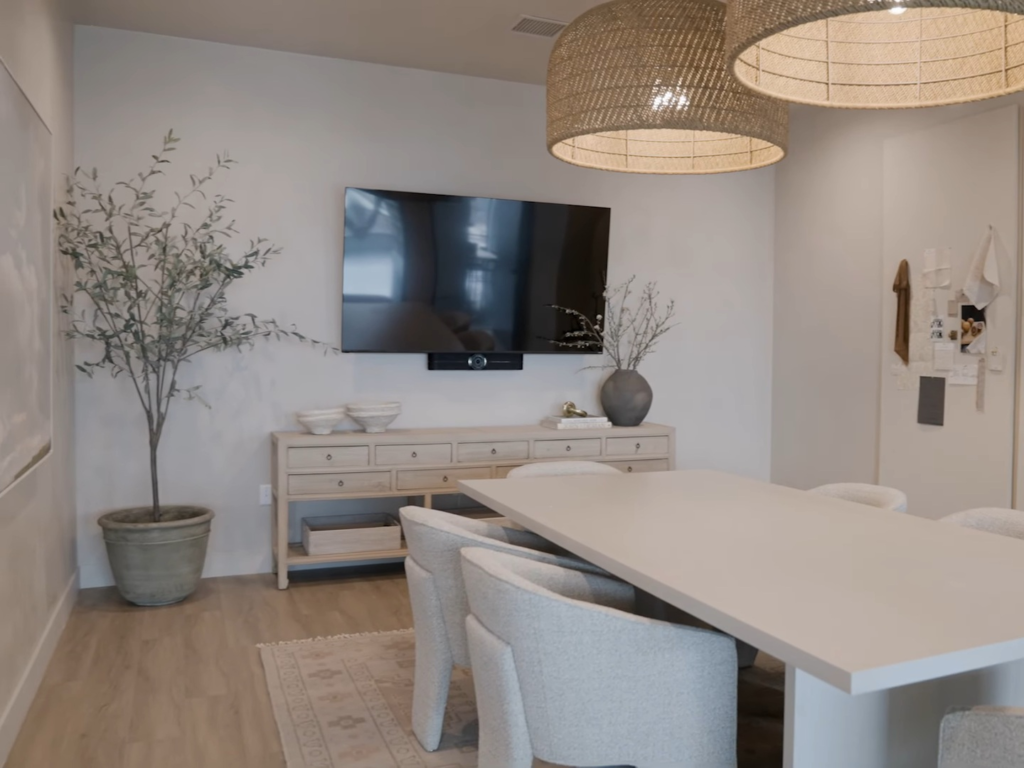
Conference Room Display Setup That Supports Daily Operations
Office and conference room installations must function reliably under constant use. Our TV installers for businesses approach every project with long-term performance in mind, focusing on stable mounting, predictable input access, and dependable system behavior. Displays are positioned to support structured meetings, collaborative sessions, and executive presentations without requiring adjustment or troubleshooting.
Operational reliability is especially important in hybrid environments where screens are used for video conferencing, screen sharing, and shared dashboards throughout the day. Our team verifies that HDMI, USB, and control connections remain accessible and responsive. Switching between sources is tested before completion so staff members can begin meetings without delays or technical confusion.
Before leaving, every display is checked for alignment, clarity, audio performance, and input recognition. Your installation is not considered complete until the system functions smoothly from the conference table. The result is a mounted display that supports workflow, maintains consistency during daily use, and performs as expected in high-visibility business settings.
Ready for a Clean, Secure Install Done Right the First Time?
Get the clean lines you want, the stability you need, and the peace of mind you deserve. Book you TV mounting in Houston today and enjoy a setup that looks finished and feels solid.
Call or Text: (832) 413-1265
Serving The Greater Houston & Surrounding Areas
Clean. Secure. Built to last.
Clean Lines. Clear View.
Quick checklist
- Perfectly leveled screen
- Secure mounting for your wall type
- Hidden or cleanly managed wires
- Optional soundbar and Smart TV setup
- Clean work area when we leave